• Elevator Parts Elevator Lift Blue Server TT Tool Test Debug Maintenance Tool Operator GAA21750AK3 for OTIS Elevator
  • Elevator Parts Elevator Lift Blue Server TT Tool Test Debug Maintenance Tool Operator GAA21750AK3 for OTIS Elevator
  • Elevator Parts Elevator Lift Blue Server TT Tool Test Debug Maintenance Tool Operator GAA21750AK3 for OTIS Elevator
  • Elevator Parts Elevator Lift Blue Server TT Tool Test Debug Maintenance Tool Operator GAA21750AK3 for OTIS Elevator
  • Elevator Parts Elevator Lift Blue Server TT Tool Test Debug Maintenance Tool Operator GAA21750AK3 for OTIS Elevator
  • Elevator Parts Elevator Lift Blue Server TT Tool Test Debug Maintenance Tool Operator GAA21750AK3 for OTIS Elevator
  • Elevator Parts Elevator Lift Blue Server TT Tool Test Debug Maintenance Tool Operator GAA21750AK3 for OTIS Elevator
  • Elevator Parts Elevator Lift Blue Server TT Tool Test Debug Maintenance Tool Operator GAA21750AK3 for OTIS Elevator
  • Elevator Parts Elevator Lift Blue Server TT Tool Test Debug Maintenance Tool Operator GAA21750AK3 for OTIS Elevator
  • Elevator Parts Elevator Lift Blue Server TT Tool Test Debug Maintenance Tool Operator GAA21750AK3 for OTIS Elevator

Elevator Parts Elevator Lift Blue Server TT Tool Test Debug Maintenance Tool Operator GAA21750AK3 for OTIS Elevator

Elevator Parts
Part No: GAA21750AK3 
  • Elevator Parts Elevator Lift Blue Server TT Tool Test Debug Maintenance Tool Operator GAA21750AK3 for OTIS Elevator
  • Elevator Parts Elevator Lift Blue Server TT Tool Test Debug Maintenance Tool Operator GAA21750AK3 for OTIS Elevator
  • Elevator Parts Elevator Lift Blue Server TT Tool Test Debug Maintenance Tool Operator GAA21750AK3 for OTIS Elevator
  • Elevator Parts Elevator Lift Blue Server TT Tool Test Debug Maintenance Tool Operator GAA21750AK3 for OTIS Elevator
  • Elevator Parts Elevator Lift Blue Server TT Tool Test Debug Maintenance Tool Operator GAA21750AK3 for OTIS Elevator

Product Overview

The Blue Server TT tool is the OTIS elevator test tool a technician takes on site when a lift needs testing, debugging or scheduled maintenance rather than a straight part swap. It works through the OTIS TT server and connects to SIEI and OVF inverters with the conversion head that comes with it, so reading faults, checking parameters and calibrating all happen on one handheld unit instead of a laptop rig and a bag of separate leads. It belongs to the same supply line as the door hardware we already stock — door motors, door controllers and safety edges such as a Weco elevator light curtain — so an OTIS repair rarely needs a second source for the parts around it. What the handset gives the technician is the controller's own view of the lift. A door that reverses for no clear reason is reported as a door fault, and the elevator door sensor is usually the first part blamed; the tool shows whether the controller is registering a genuine edge signal, a reversal command or something further back in the drive. That reading is what decides whether the next hour goes into adjusting, resetting or replacing. As an elevator door parts supplier serving maintenance companies, we keep this handset for teams that need OTIS-side diagnostics without pulling a controller out of service and sending it away. - One handset for the OTIS work you already do. Drive, door-controller and main-board families that normally need separate service kits are all reached from the same keypad, so the van carries one case instead of three. - Unlimited use through the OTIS TT server. There is no per-session count to manage and no fixed number of jobs after which the unit has to be exchanged, which is what keeps a single handset in service across a whole team. - Readings taken while the fault is live. Watching the controller during a door cycle shows whether an elevator light curtain is genuinely breaking the beam or the operator is reacting to something else — a diagnosis rather than a guess. - Built for machine-room conditions. One handheld body, one fixed lead and a connector that screws down is quicker to deploy than a laptop, with nothing to balance on a step. - Covers a mixed OTIS estate. Passenger, freight, sightseeing and medical lifts, escalators and moving walkways all sit inside the same handset's remit, which suits contractors running varied portfolios. - A fit for an existing parts counter. If you already work as an elevator door parts supplier to local maintenance firms, adding OTIS diagnostics at the same counter is a smaller step than building a separate tool inventory. - Fewer parts replaced on suspicion. A door that keeps reversing after a new Weco elevator door detector has gone in is usually a controller conversation, and the handset is what proves it before another part is ordered.
Handset & Keypad Layout

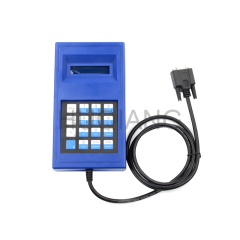
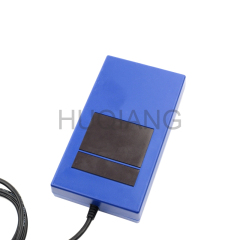
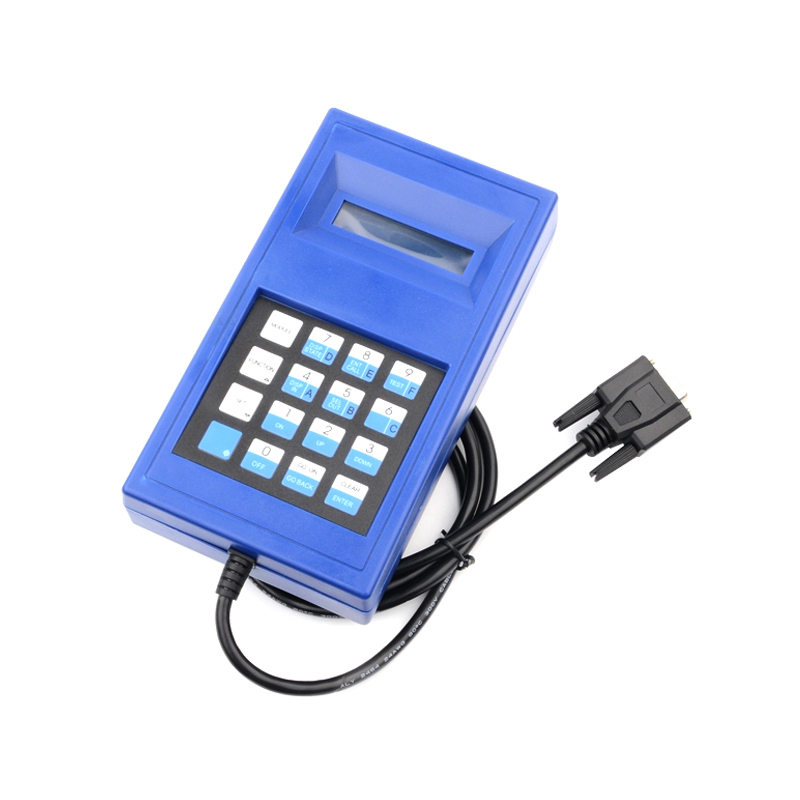
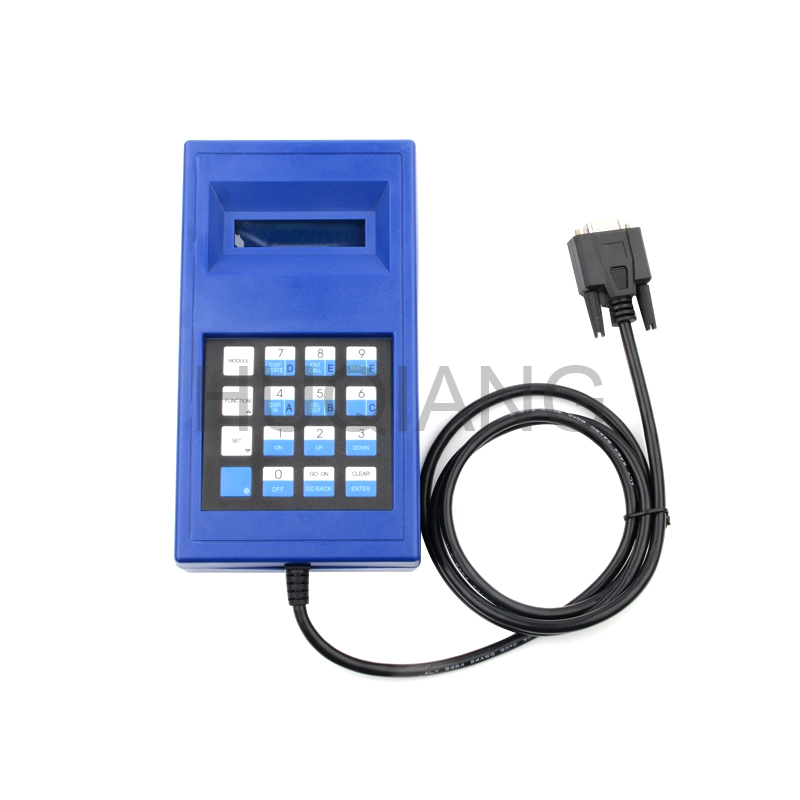
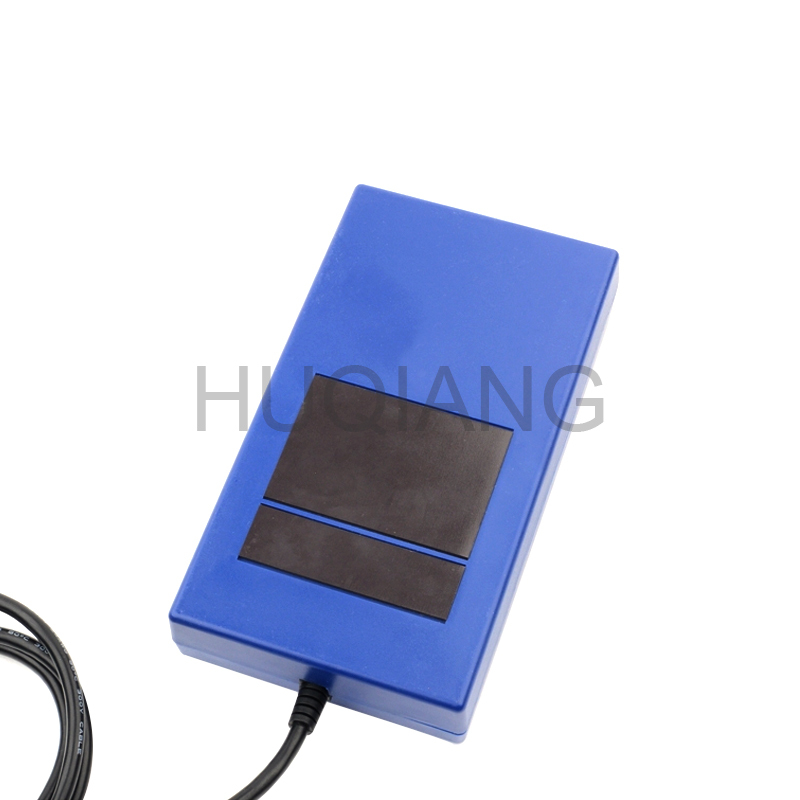
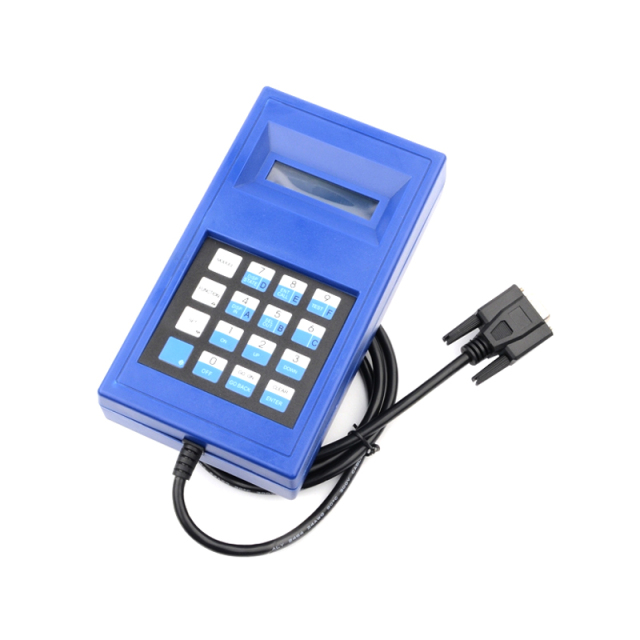
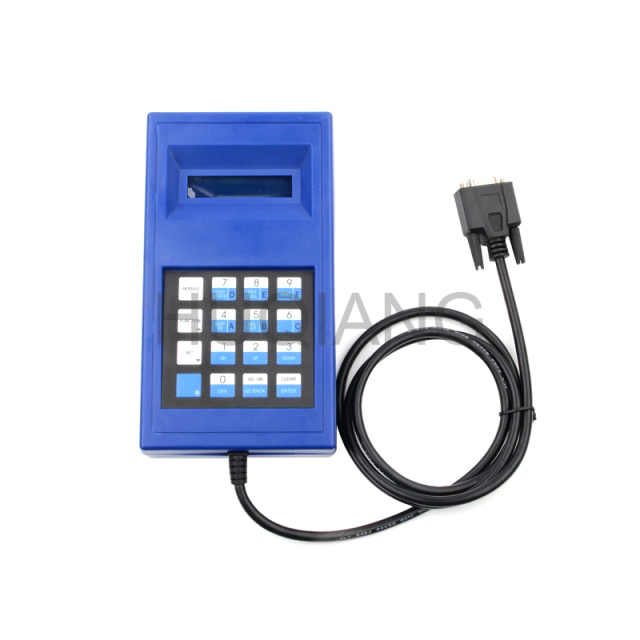
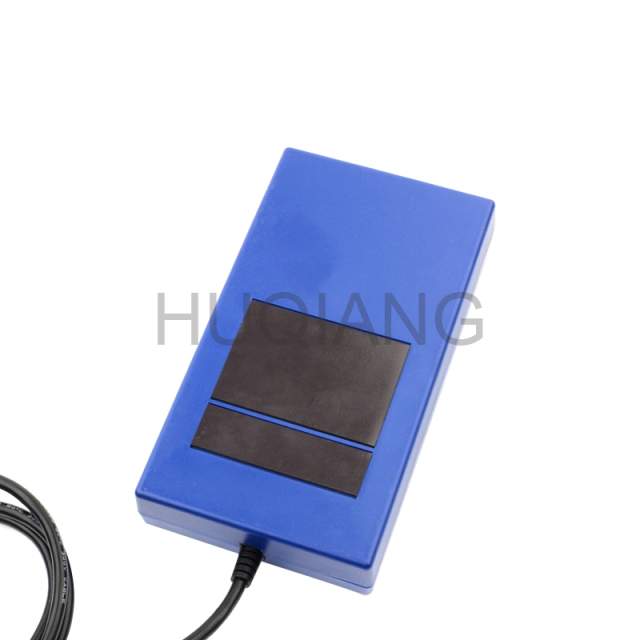
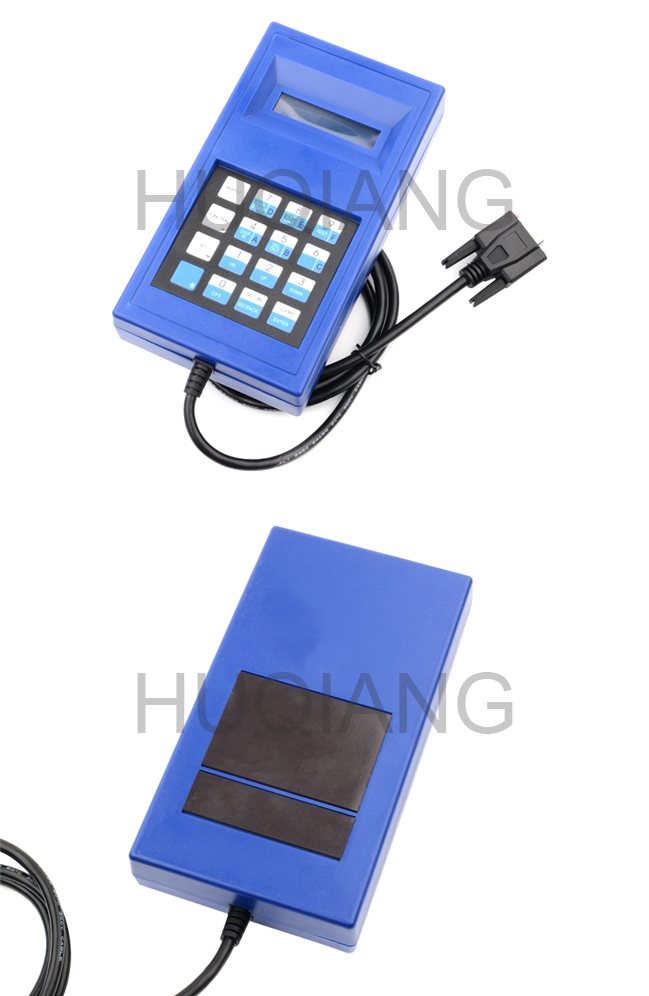
  • Blue handheld body sized for one hand. The case is compact enough to hold and work one-handed, a shape chosen for an elevator service tool used at the panel rather than on a bench, with the display window set into a recess so the screen is less exposed when the unit is laid against a controller panel.
  • Display window for live readings. Menu items, codes and status values appear on the built-in display, so the technician reads them at the panel instead of on a laptop screen balanced nearby. During a door cycle, those readings include what the controller reports from the elevator door sensor.
  • Named function keys on a membrane keypad. MODE, FORWARD, BACK, GO ON, DISP, CLEAR, ENTER and OFF sit around the entry block, so the moves a technician makes most often are within one press of the keypad face.
  • Hexadecimal entry block. Digits 0–9 and letters A–F each have their own key, so codes that contain letters as well as numbers can be keyed directly rather than scrolled to.
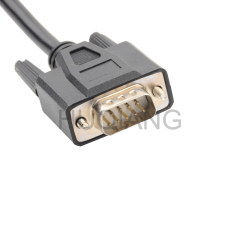
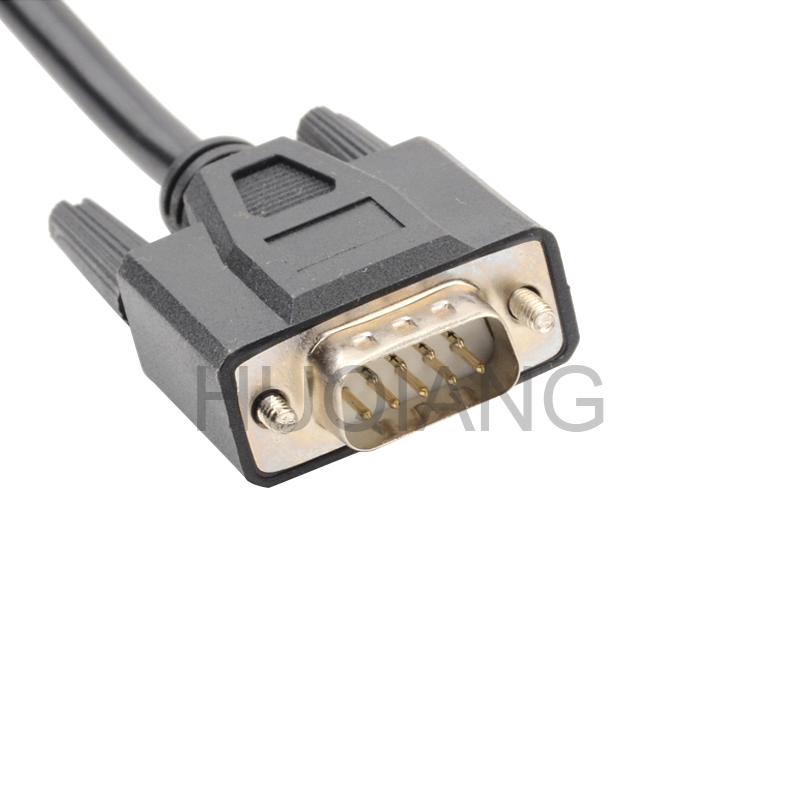
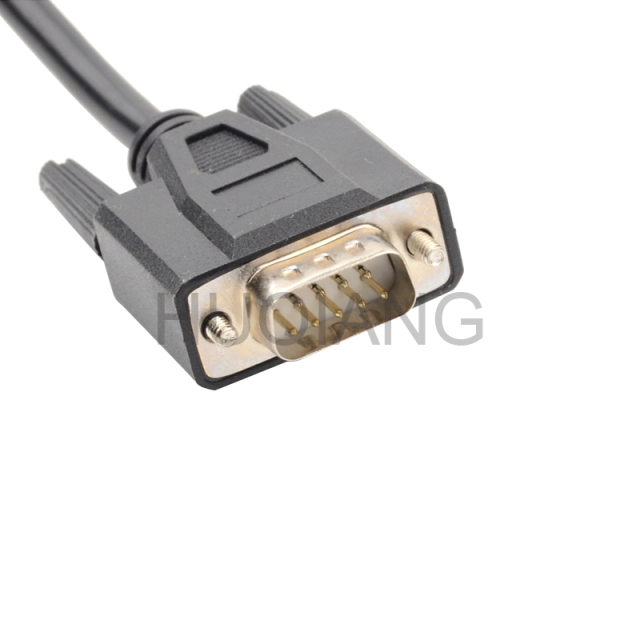
  • Fixed lead with a locking D-sub connector. The cable is attached to the handset and ends in a metal-shell connector with thumbscrews, so it stays seated in the port while readings are taken.
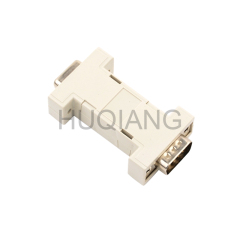
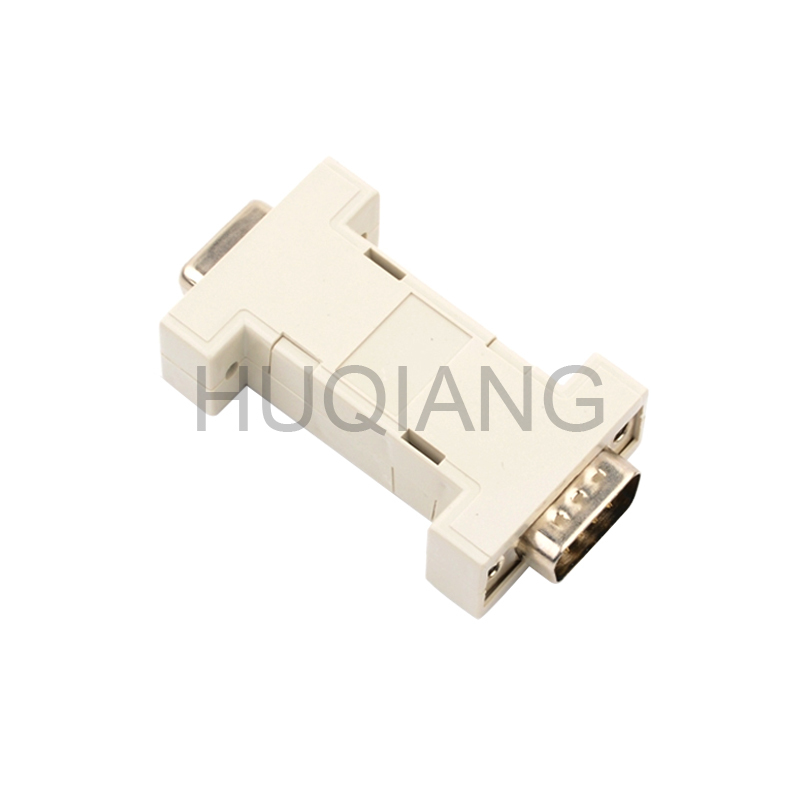
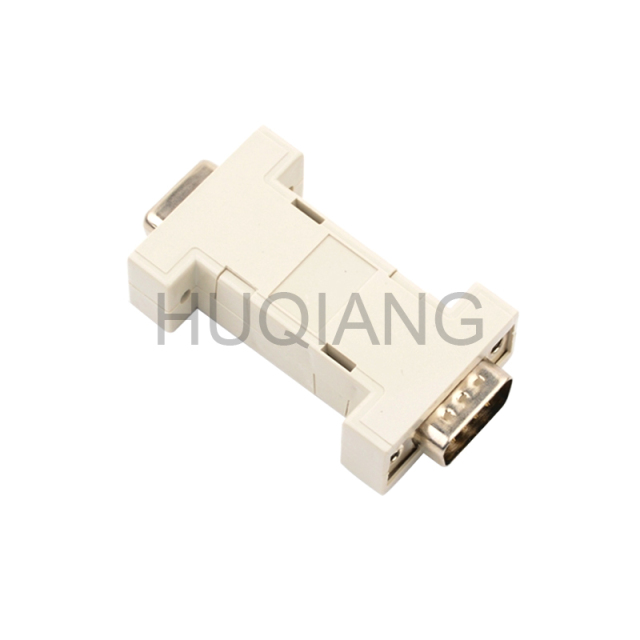
  • Conversion adapter for the port you are on. A separate D-sub adapter changes the connection between SIEI and OVF inverter ports, which is what lets one handset serve both drive families.
Blue handheld keypad controller with LCD window and attached cable.

Compatibility Chart

The chart covers the controllers and drives this handset talks to; when an elevator infrared door detector complaint comes in, the controller family is what tells you where to look.

System groupWhat this tool works with
Drive convertersSIEI, OVF20, OVF30
Westway drivesAVY, AVO, AVS
Door controllersDCSS4, DCSS5, DO3000
EASY-CON door controllersEASY-CON, EASY-CON-T
Jarless door controllersJARLESS-CON, JARLESS-CON-T
Main boardsGECB, LCBII, ALMCB, TCBC, TCEC, RCB2, GDCB
ACD seriesACD1, ACD2, ACD3, ACD4
GEN2 and SKYGEN2, SKY
OH seriesOH-CON, OH1000, OH5000, OH5100
2000 to 3300 series2000, 3000, 3100, 3200, 3300
Other OTIS modelsSTARHOMELIFT, 21VF

On-Site Diagnostic Steps

  1. Note the controller and drive before you connect anything. The model code on the main board and the label on the drive decide which port and adapter you need — the same details an elevator door parts supplier asks for when matching a replacement.
  2. Fit the conversion head and screw the D-sub connector down. A connector that is only pushed in is the usual reason an elevator service tool appears to do nothing.
  3. Power the unit and check that the display comes up before going any further.
  4. Use the OTIS elevator test tool to read the active fault and stored fault history from the OTIS TT server menus, and write both down before clearing anything.
  5. Compare what the controller reports with the complaint from the building. A reversal logged as an edge signal points at the elevator door sensor or its wiring; a drive fault points at another.
  6. Make the parameter or setting change you came for, then clear the fault and disconnect; if an elevator infrared door detector was just renewed, note what the controller reports from it before the code is wiped.
  7. Run the lift through a full cycle, doors included, and watch the elevator light curtain response before the handset goes back in its case.

Drive, Door & Board Faults

Door operator faults

A door that reverses on its own, closes slowly or re-opens just before the sill is the complaint that fills most service diaries, and it is rarely as simple as a failed safety edge. Fitting a new elevator light curtain and finding the same reversal afterwards is the classic example: the curtain is doing its job and the door controller is misreading the edge, or the operator is not getting the command it expects. Reading the controller state while the doors cycle tells the technician which of those it is.

Safety edge complaints

Not every door problem starts at the operator. When an edge has just been renewed and the door still reverses on every cycle, the handset shows whether the controller is registering the beam as interrupted or reacting to something else — worth checking before another elevator infrared door detector is ordered for a lift that may not need one.

Drive faults

On the drive side the elevator service tool is used to see what the inverter is being asked to do against what it reports back. Parameter values and stored fault history are what technicians compare, and having both on the handset while the lift runs saves a walk back to the machine room laptop.

Main board faults

When a complaint points at a main board, reading status before and after a reset is faster than swapping the board to see whether the fault moves. The code that returns after the reset is usually the one worth carrying back to the workshop.

When the fault is not the lift

Two things stop a session before it starts: no power at the controller, and a damaged or contaminated port. Neither is a tool fault, and neither is solved by a second handset.

Specifications & Order Details

The OTIS elevator test tool is supplied as follows.

A single-unit MOQ means an elevator door parts supplier can keep one handset as a spare without holding a batch.

FeatureBrand New.Original
TypeElevator Parts
Product NameElevator Tool Test
Model NumberGAA21750AK3
Controller familiesACD1, ACD2, ACD3, ACD4, GEN2, SKY, OH-CON, OH1000, OH5000, OH5100, 2000, 3000, 3100, 3200, 3300, STARHOMELIFT, 21VF
Main boardsGECB, LCBII, ALMCB, TCBC, TCEC, RCB2, GDCB
Payment TermsT/T, L/C, VISA, Mastercard, E-checking, Paypal
Delivery1-3 Working Days
Warranty TimeOne Year
TransportationDHL/TNT/FEDEX/UPS
MOQ1PC
PackingCarton or Wooden Case

Ordering Process

  1. Send the model code from your old unit, or a clear photo of its label, together with the controller and drive details if the label is worn. We check the match against the handset before your order is picked.
  2. Order the number of units you actually need — a single handset for one van or a batch for a Weco elevator light curtain supplier's counter are handled the same way.
  3. Tell us how the unit will travel. Packing is decided at order stage and depends on what else is in the consignment, so mention it if the handset ships alongside heavier parts.
  4. Confirm how your accounts department wants to pay, and the matching details go out with the proforma invoice.
  5. Dispatch is by express courier, with the tracking number sent as soon as the parcel is collected. Keep the dispatch note with the unit in case of a later claim.
  6. On arrival, open the case, check the handset, lead and conversion adapter, and try it on a known-good unit before the first call-out.

Technical Support & Model Matching

Choosing the right variant is the hardest part of a replacement order, so our technical team starts from what you already have: a nameplate photo, the markings on the old part, or the part number exactly as it appears in your manual. We match it against the brands and series we supply, point out the suffixes and revisions that will not interchange, and confirm by email before dispatch. After delivery our team stays reachable for fault-finding and practical guidance on fitting the part you ordered. Every item we ship carries a one-year warranty.

FAQ

What does unlimited use mean on this handset?

The tool works through the OTIS TT server and is not counted by session or by job, so it can go out on every OTIS call a team handles. There is no fixed number of uses after which the unit has to be exchanged, which is why one handset can serve a whole workshop rather than a single technician.

Is it compatible with SIEI and OVF inverters?

Yes. The conversion head connects to SIEI inverters and to OVF inverters, and the same handset covers the OTIS door-controller and main-board families it is built for. If the drive label is the only identification you have, send us those details and we will confirm the match before the unit ships.

Can it be adapted to a specific OTIS maintenance requirement?

The unit is a dedicated standard OTIS product rather than a configurable platform, so what arrives is the same handset in production use. If your team has a particular requirement — a controller family, a port type or a way of recording readings — describe it to us and we will confirm what can be arranged from the wider range.

What is supplied with the unit?

The handset itself, with its display and keypad built in, a fixed lead ending in a locking D-sub connector with thumbscrews, and the conversion adapter used to reach SIEI and OVF inverter ports. That is the whole connection set; there is no separate interface box to buy.

Do I need a laptop or extra software to use it?

No laptop. The unit carries its own display and keypad, so readings are taken on the handset at the controller panel, and the lead with its conversion adapter is the only connection hardware involved. That is what makes it workable in a machine room where there is nowhere to set a computer down.

Leave a message
FirstName *
LastName *
Email *
Whatsapp/Phone *
Whatsapp
Message *